Translating Firefly III
First of all, thank you for taking the time to help get Firefly III translated in as many languages as possible. Translation work is tedious and concentrated work, and I appreciate all your efforts. To make translating Firefly III as easy as possible I wrote this little guide to get you started.
Target language
Ensure the language you want to translate in is listed on this page. If not, see the instructions on the Support page.
If you contact me, tell me what your language is called in your language. For example, Dutch in Dutch is Nederlands.
Translate online
Crowdin has a pretty fancy user interface for translating Firefly III texts. This works pretty well for most people, but you lack context: you don't know where your text is going to end up. But this works for most text.
Translate offline
You can hack your installation of Firefly III to make it show your language, even if it's not officially enabled yet.
Enable the language
First, open app/config/firefly.php in your favorite text editor and search for the languages' configuration. You should see a bunch of languages listed in a row:
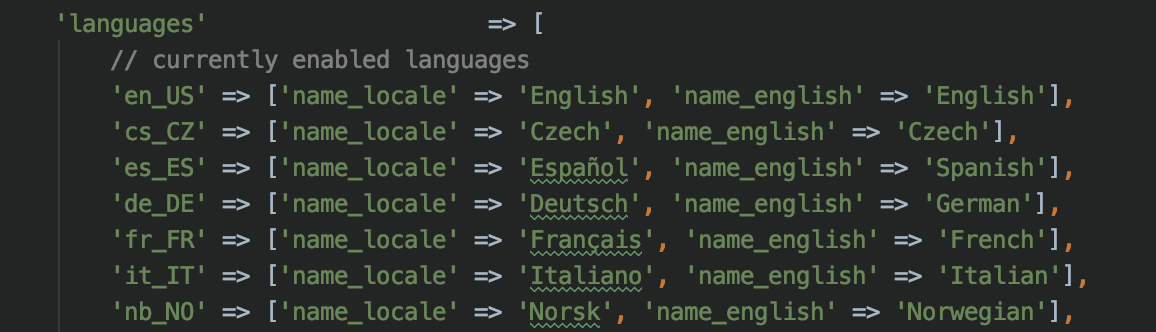
Below that, a list of languages that are not enabled yet. Each line is preceded by //. If it's not there yet, you can add it.
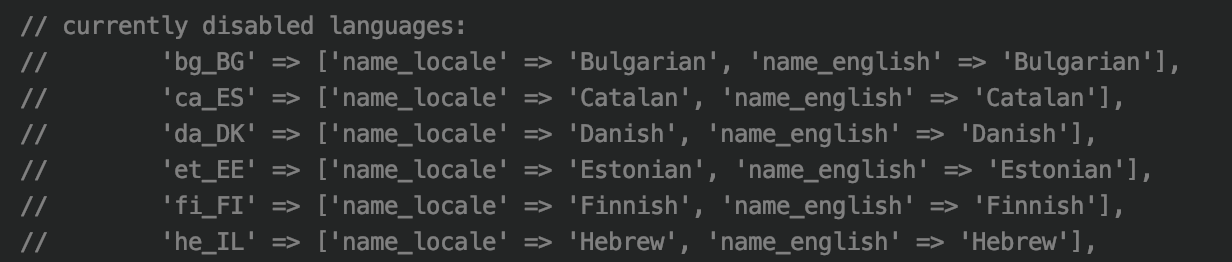
Remove the // to enable the language of your choice.

You can now select this language in your settings.
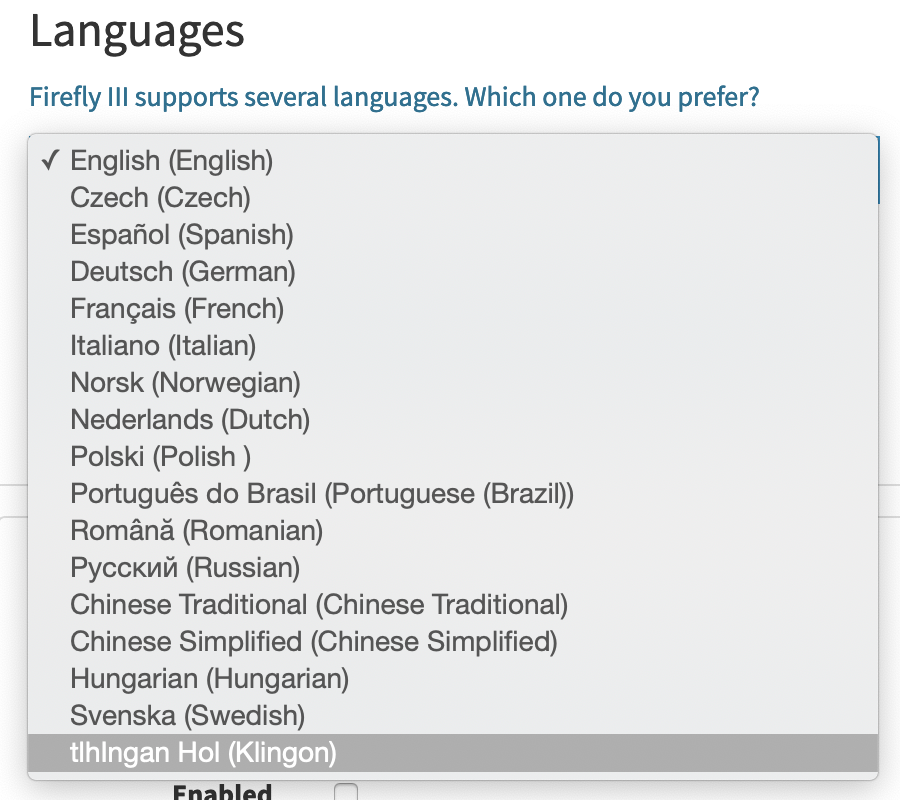
Download the right files
Everything in Firefly III will still be in English. You need to download a zip file with the correct files in them, and place it in your Firefly III installation directory.
Go to Crowdin, select your language and download a zip file of your language.
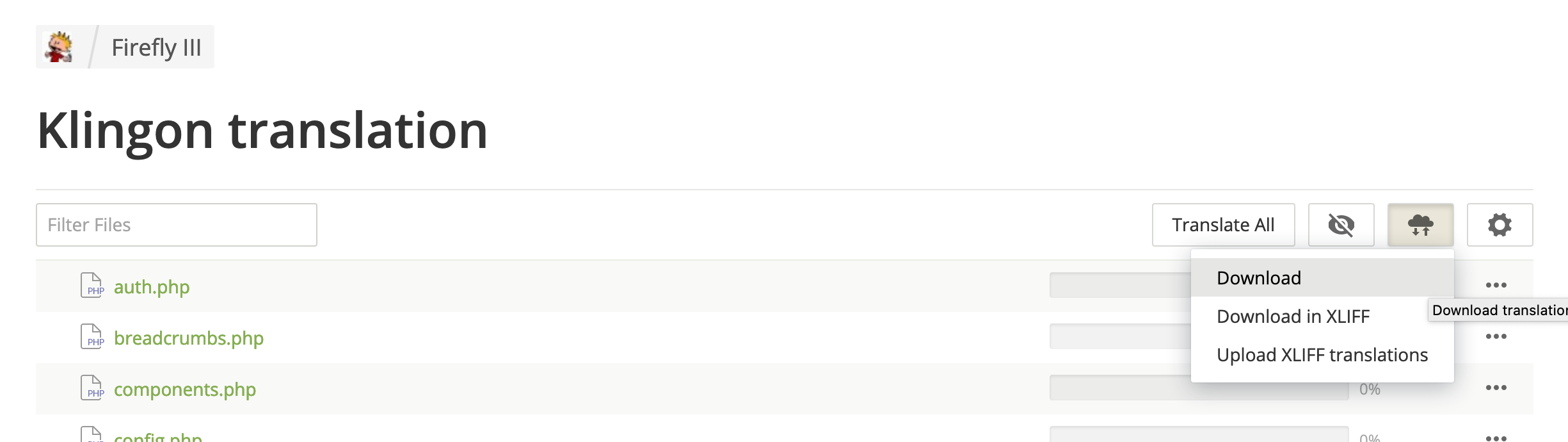
In the zip file, you'll find a directory called resources/lang/xx_XX where xx_XX is your language code. The PHP files you find in that directory inside the zip file must be extracted to firefly-iii/resources/lang/xx_XX. Change xx_XX, of course.
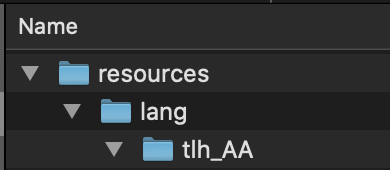
Once the files are in place, you can start editing them directly. If you refresh your instance of Firefly III, the text should be translated instantly.


Once you're done with a file, send the file to me, so I can upload the results to Crowdin.