How to use piggy banks
Firefly III features "piggy banks". Piggy banks are a way to divide a savings account in a number of parts, and divide the money among these parts. You can read more about them on the page that explains piggy banks.
Piggy banks can be managed from the /piggy-banks page on your installation.
Create a piggy bank
It's always a good idea to keep piggy banks on a dedicated savings account. Let's assume you have one, with €500 on it.
Click on "Create a new piggy bank" on the /piggy-banks page.
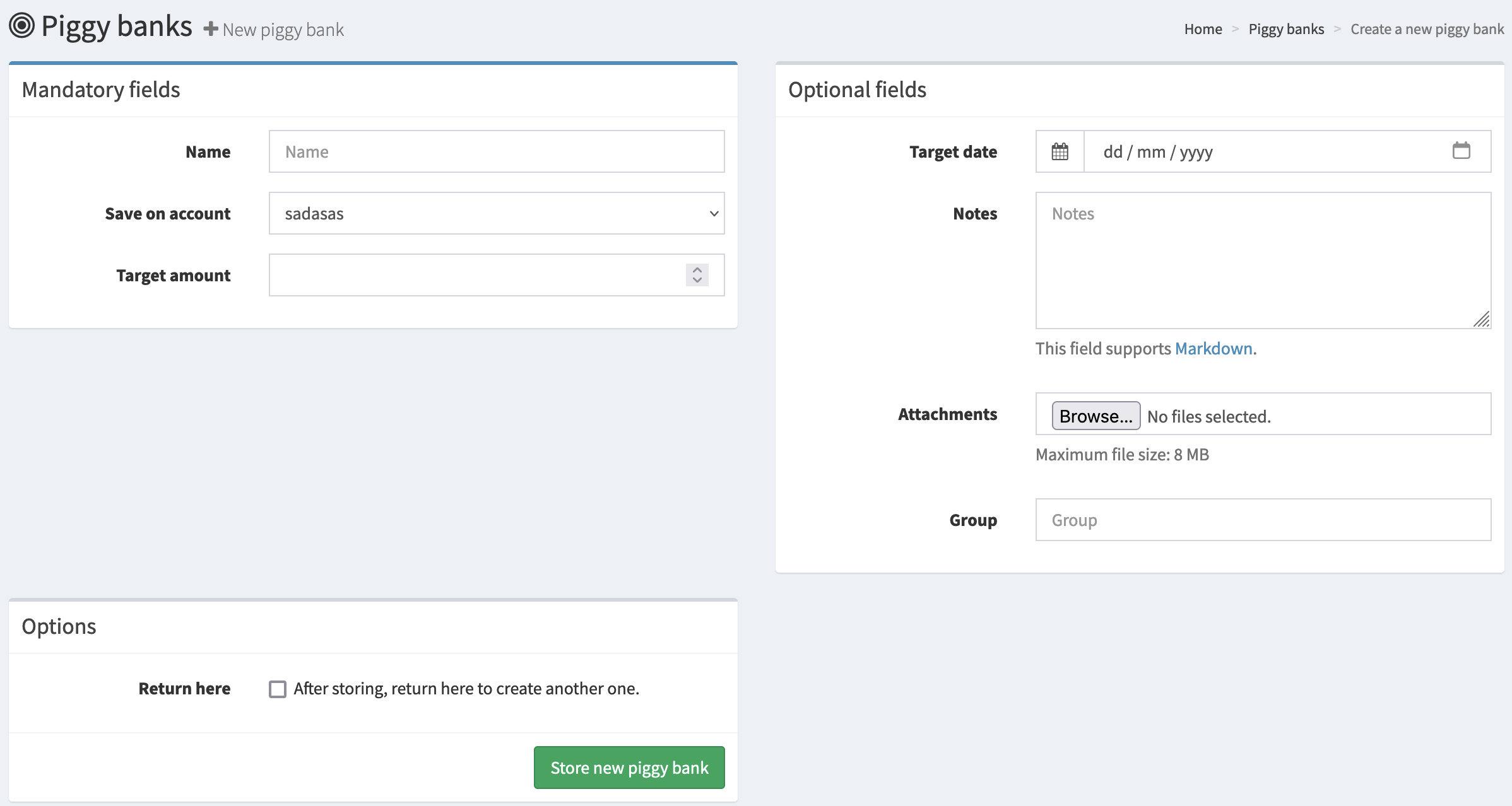
Enter some details for this piggy bank. The amount is not mandatory, but useful. Here's an example:
- Name: New camera
- Target amount: €300
You can save some notes (like a link to the camera webshop) and add attachments if you want to. Use the "group" field to group piggy banks together. This is useful if you have a lot of piggy banks.
Manage the piggy banks
Here are three piggy banks I made:
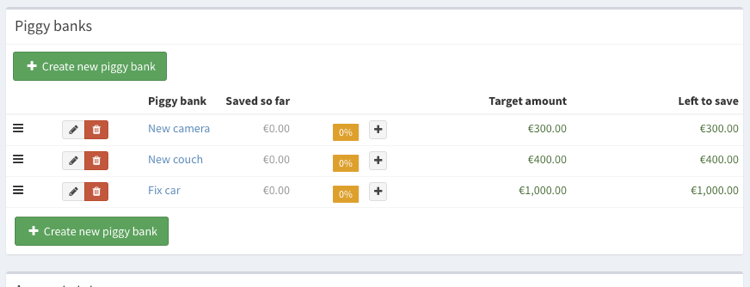
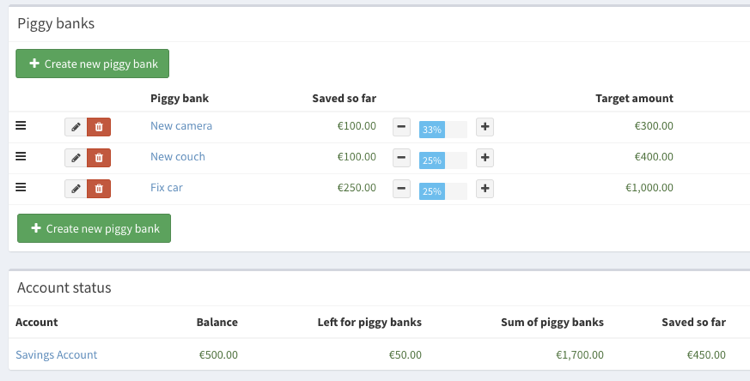
I can use the [+] and [-] buttons to add or remove money from these piggy banks. That way I can divide the money on my savings account between the three goals I have.
On the bottom of the page, it shows you how much money you have left on your savings account. You can't add more money to your piggy banks than you have on your savings account.
Adding money to or removing money from piggy banks
Apart from the [+] and [-] buttons, you can also link transfers to a piggy bank. The amount of the transaction will be automatically added to, or removed from the piggy bank.
When you create a transfer, you can select a piggy bank from the available list.
- If the piggy bank is linked to the destination account of the transfer, the money from the transaction will be added to then piggy bank.
- If the piggy bank is linked to the source account of the transfer, the money will be removed from the piggy bank.
The transfer will always be created. If the piggy bank is full, the piggy bank will not be changed. In other cases, the money will be added until the piggy bank is filled up. Any money left will still be transferred, but will not be added to a piggy bank.
That's it! Would you like to know more?